Device test lab
A test harness for the openpwa.net device checklist. It has its own manifest, scope
(/lab/device-tests/) and service worker, separate from /demo/.
Nothing on this page is sent anywhere: no analytics, no third-party requests, no server.
context: (loading)
T1: a page with no manifest
/lab/device-tests/t1/no-manifest/ declares
nothing an installer reads: no manifest, no apple-touch-icon, no web-app-capable meta, no
service worker. Add that page to the Home Screen from Safari (not this one, which has a
manifest), open it from the icon and screenshot it. It prints navigator.standalone,
every display-mode query and location.href in large type, so Web
Inspector is not needed.
T3: which icon did the Home Screen use?
Each declared icon is a different colour with its size printed on it. Add this page to the Home Screen and read the label off the icon.
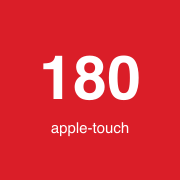 180 red:
 apple-touch-icon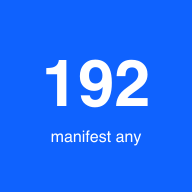 192 blue: manifest, purpose any
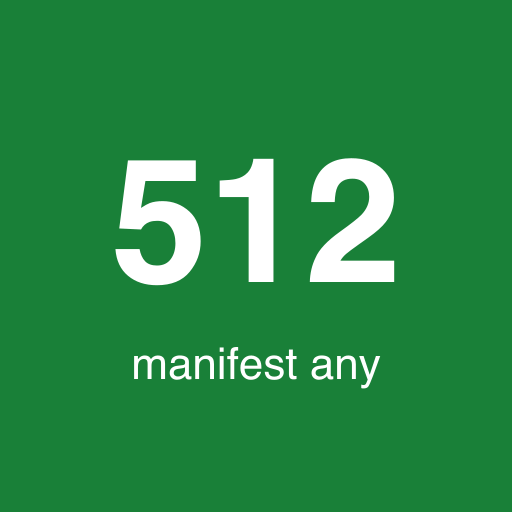 512 green: manifest, purpose any
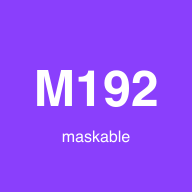 M192 purple: manifest, maskable
 M512 teal: manifest, maskable
 FAV grey:
 rel=icon
This page declares the apple-touch-icon (180) and four manifest icons. A page screenshot or a letter tile means none was used. Second app, manifest icons only (no apple-touch-icon): /lab/device-tests/t3/manifest-only/.
T4: status bar and top blur variants
Every variant has numbered lines to scroll under the status bar and prints its own geometry.
The first nine open inside this app when you tap them from the installed lab (same scope).
The three status-bar-style variants are separate apps: add each one to the Home
Screen from Safari, because the meta tag is read when the app is added or launched.
The three theme-m* apps (step 18c) are also separate apps with grey M1/M2/M3
icons: they settle whether the status-bar strip takes the manifest theme_color
or the page meta theme-color. M1 red = manifest wins, M1 green = meta wins; M2 red = meta is
used when the manifest has no colour; M3 green = manifest is used when there is no meta.
| Variant | Top element | Open |
|---|---|---|
| baseline | none fixed; header scrolls away | open |
| fixed | position: fixed, 56 px, full width, top 0 | open |
| sticky | position: sticky, 56 px, full width | open |
| safe-area | fixed, viewport-fit=cover, padded by env(safe-area-inset-top) | open |
| threshold | fixed bar with buttons for height, width and top offset | open |
| white-top | no header; white html/body, black text; theme-color #161616 | open |
| theme-red | as white-top, but theme-color #d00000 | open |
| bg-green | no header; html/body #00a050 top to bottom; theme-color #161616 | open |
| dynamic | blue header; buttons change theme-color to red, header to orange, remove header (logged) | open |
| sbs-default | none fixed; status-bar-style: default (own app) | open |
| sbs-black | none fixed; status-bar-style: black (own app) | open |
| sbs-black-translucent | none fixed; black-translucent + viewport-fit=cover (own app) | open |
| theme-m1 | 18c, own app: manifest theme_color #d00000, page meta theme-color #00a050; white page, no header | open |
| theme-m2 | 18c, own app: manifest without theme_color, page meta theme-color #d00000 | open |
| theme-m3 | 18c, own app: manifest theme_color #00a050, no meta theme-color | open |
T6: storage marker
Writes one value to localStorage, IndexedDB and a cookie (path
/lab/device-tests/). The value starts with TAB or APP for where it was written.
Write it in Safari, then add to the Home Screen and read it in the app.
T7 and T8: notifications
The lab service worker has a notificationclick handler registered twice, with
addEventListener and with the onnotificationclick property. Each
path writes its own record (IndexedDB, and posted to this page), so the log below shows which
one ran and what the tap opened. There is no push server: real push delivery cannot be tested
here. Subscribe only shows that a subscription is created and prints the endpoint host.
Permission retest app: T7 Perm Test
is a separate installable app (own manifest, scope /lab/device-tests/t7/perm/,
own worker, yellow P7 icon) that has never been asked for permission. Add it
to the Home Screen and use it to record whether Notification.requestPermission()
shows a system prompt, with exact start and end times.
Worker exposure (what BCD's collector checks)
Notification event log (newest first)
(none yet)
Results panel (T5, T9, T10)
Display mode
Feature detects
Viewport and safe area
User agent
The JSON holds the push endpoint host only, never the endpoint or keys. Paste it into the checklist; nothing leaves the device otherwise.